Skip to content
bilan

Live now

Bill every client in one run, and know who has paid.

bilan is billing and collections software for Philippine accounting practices. It drafts the month's statements for every client, sends them, records what comes in, and shows who is overdue.

Book a demoSee how a month goes
A billing month 0 / 6

How a billing month goes

Six steps, in the order a practice does them. Each screen below is the real software, shown with a sample practice and made-up clients.

Step 1 of 6

Set up each client once

Each client has their details, VAT status, payment terms and recurring fees. A practice moving over from spreadsheets brings its clients, fees and opening balances in from one workbook, with a preview before anything is saved.

BeforeFees and rates scattered across spreadsheets.
With bilanOne record per client, with its recurring fees.
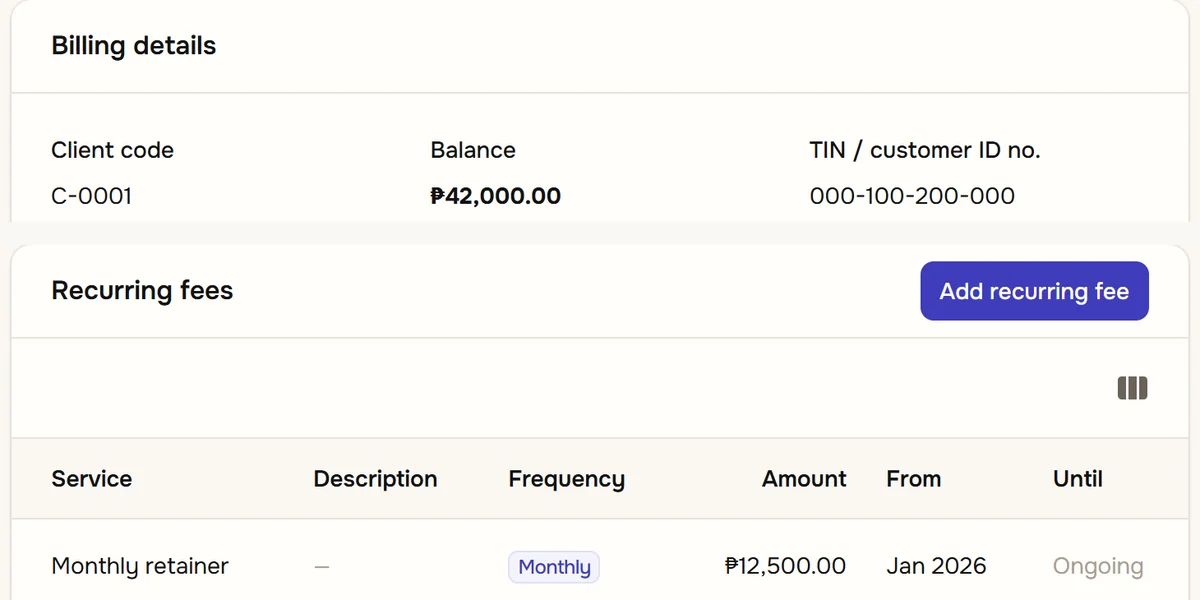
A client record in bilan: the client code, balance and TIN, above the client's recurring fee, a monthly retainer of ₱12,500.
Sample data.
Step 2 of 6

Run the month's billing

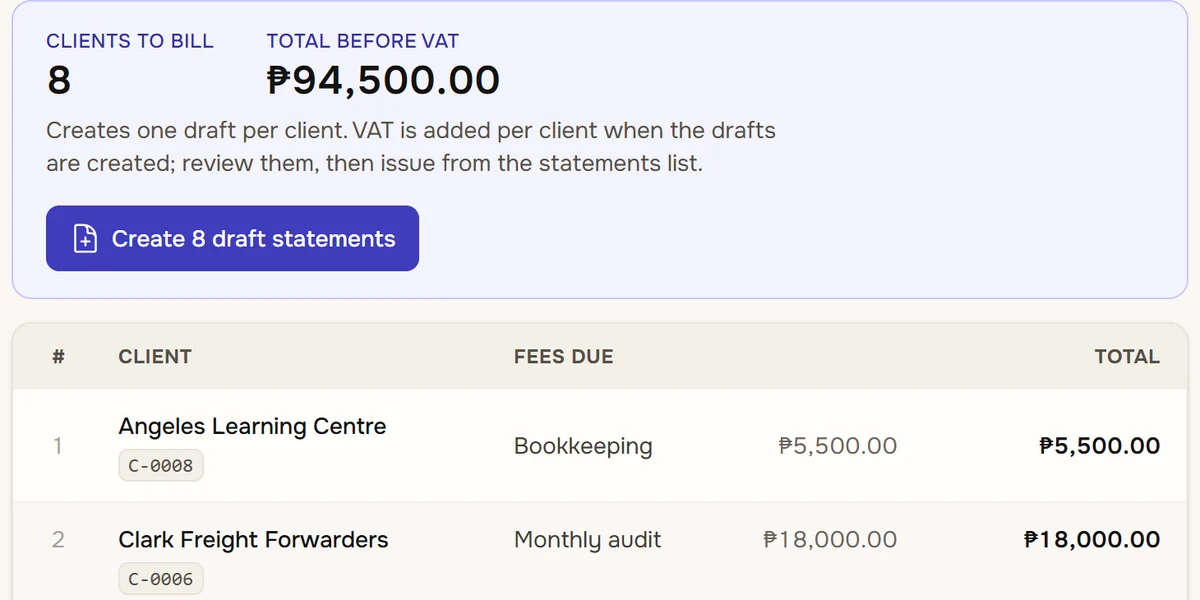
Pick the month and see every client whose fees fall due. One click creates a draft statement for each of them. A fee already on a statement is skipped, so running the month twice never bills it twice.

BeforeRetyping last month's statement for every client.
With bilanEvery draft created in one click.
The billing run: eight clients to bill for a total of ₱94,500 before VAT, a button that creates their eight draft statements, and the first two clients with the fees due.
Sample data.
Step 3 of 6

Review, then issue

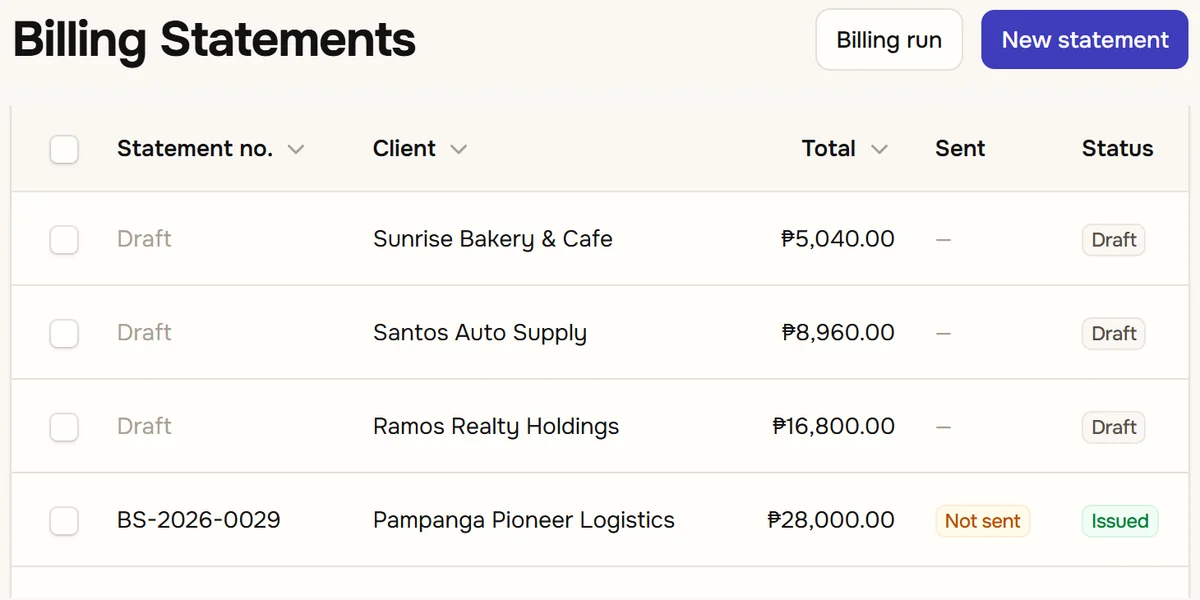
Check the drafts, then issue them. Each statement gets its own number, and VAT is added as its own line for the clients who carry it. Nothing leaves the practice until you have looked at it.

BeforeStatements built by hand, with VAT worked out on the side.
With bilanNumbered statements, VAT on its own line.
The billing statements list: three drafts waiting to be issued, then an issued statement, each with its client, total, whether it has been sent and its status.
Sample data.
Step 4 of 6

Send it to the client

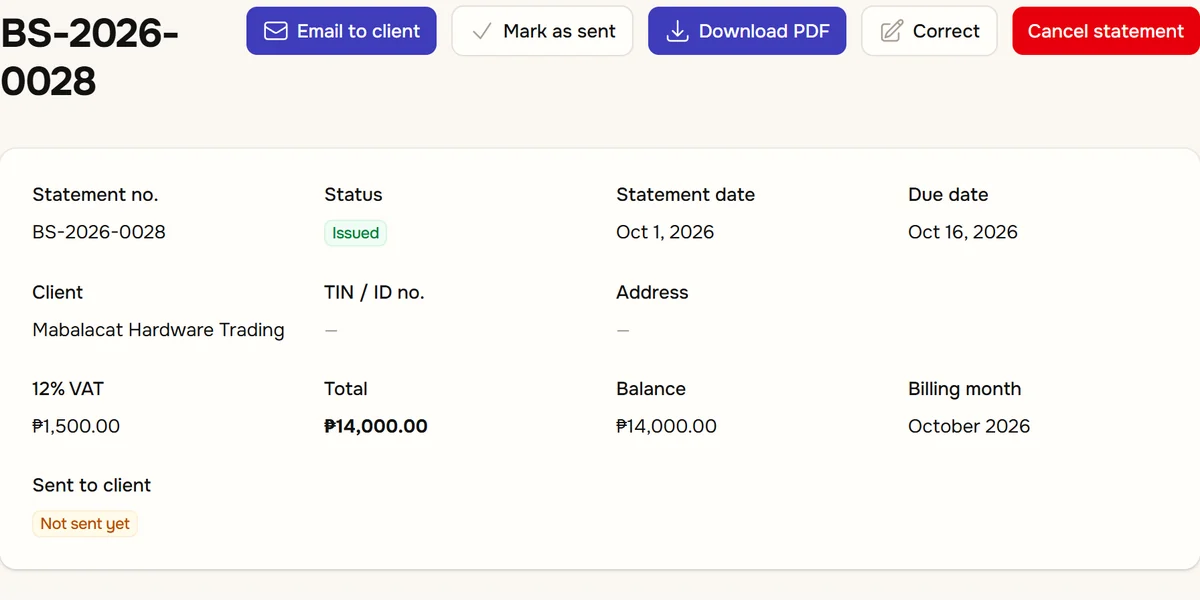
Email the statement from bilan, or download the PDF and hand it over. Either way bilan records whether a statement has gone out, so none sits unsent without you knowing.

BeforeAttaching files by hand and trying to remember who got what.
With bilanSent or not sent, on every statement.
An issued statement: buttons to email it to the client, mark it as sent, download the PDF, correct it or cancel it, above its 12% VAT, total of ₱14,000 and a badge saying it has not been sent yet.
Sample data.
Step 5 of 6

Record what comes in

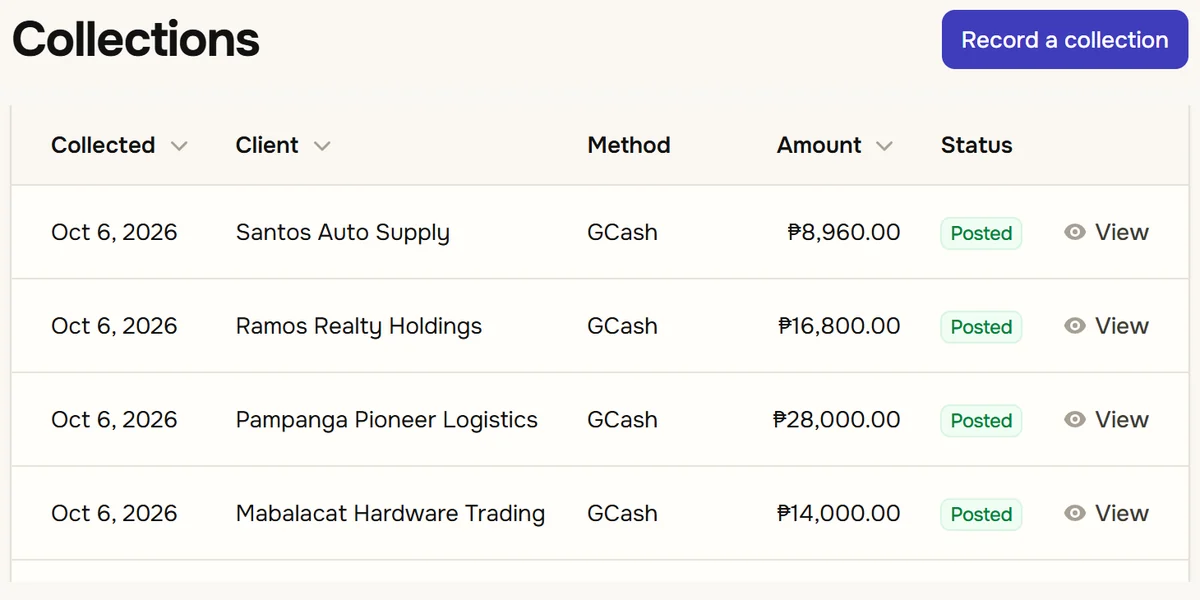
When a client pays, record it: cash, check, bank transfer or GCash. The payment settles the oldest charges first, or you choose the lines it applies to, so each statement shows what is still open.

BeforePayments noted in a spreadsheet and matched to statements later.
With bilanEach payment applied to the lines it settles.
The collections list: each payment with its date, client, method (GCash), amount and a posted badge, and a button to record a collection.
Sample data.
Step 6 of 6

See who owes you

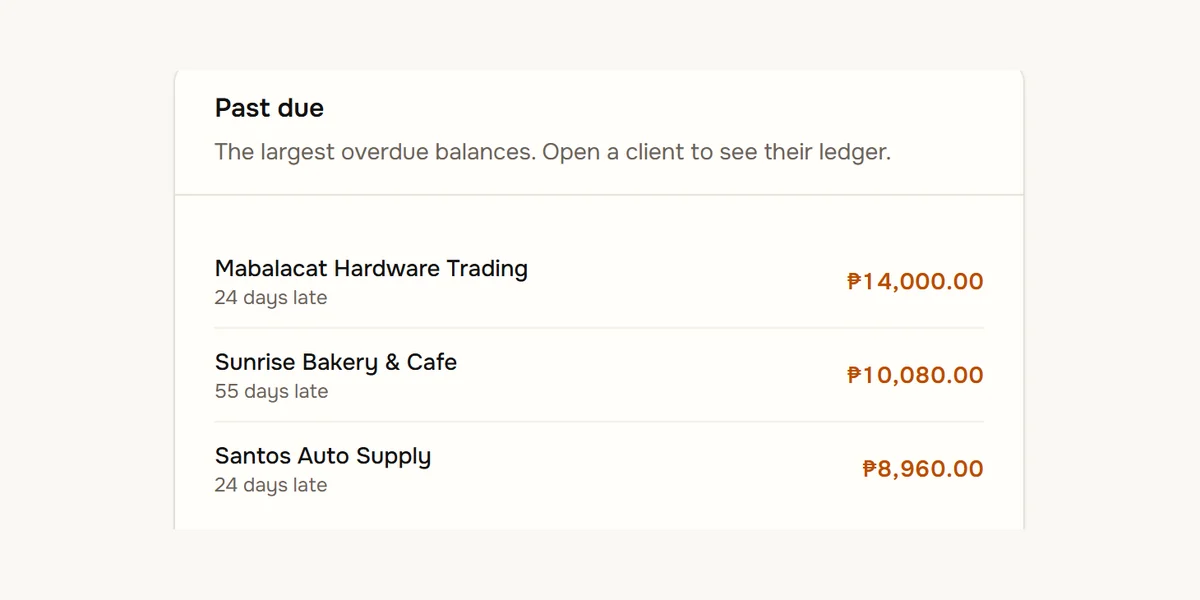
The dashboard shows what is owed and how late, with the largest overdue balances first. A reminder email can go out every morning or once a week, and the billing and collection reports come from the same records.

BeforeScrolling a spreadsheet to find who has not paid.
With bilanOverdue clients first, reports from the same records.
The dashboard's past due panel: the three largest overdue clients, how many days late each is and the amount they owe.
Sample data.

For the partners and the billing desk

Partners and practice owners

You bill clients every month and want to know, without asking anyone, what has been billed, sent and collected, and who is late.

  • Billed, collected and owed on one screen
  • A reminder email on the schedule you choose
  • Commissions and monthly reports from the same records

The billing desk

You prepare the statements, send them and record the payments. bilan keeps those steps in order, and shows each person only what their role needs.

  • The month's drafts for every client in one run
  • Statement numbers and letterheads for each branch
  • Staff see only the screens and the branches they are given

Questions people ask

How do I get started?

Book a demo and we will go through it with you. When you are ready, we set up your practice and can bring your clients, recurring fees and opening balances in from your existing spreadsheet.

What does it cost?

Pricing is set per practice. Book a demo and we will give you the figure before you commit to anything.

Is it part of cadran?

No. It is its own product with its own screens. cadran is the register and inventory system for shops; bilan is billing and collections for accounting practices.

Month billed.

That is the month. Leave your details and we will set up a demo, using your own kind of practice.