Skip to content
bilan

A look inside bilan.

10 quick looks at the real software. Skim them: each has one line on what it shows. A sample practice with made-up clients, so every name and amount is invented.

Book a demoHow a billing month goes

Your month

The dashboard

How much is billed, collected and owed this month, and what has not been sent.
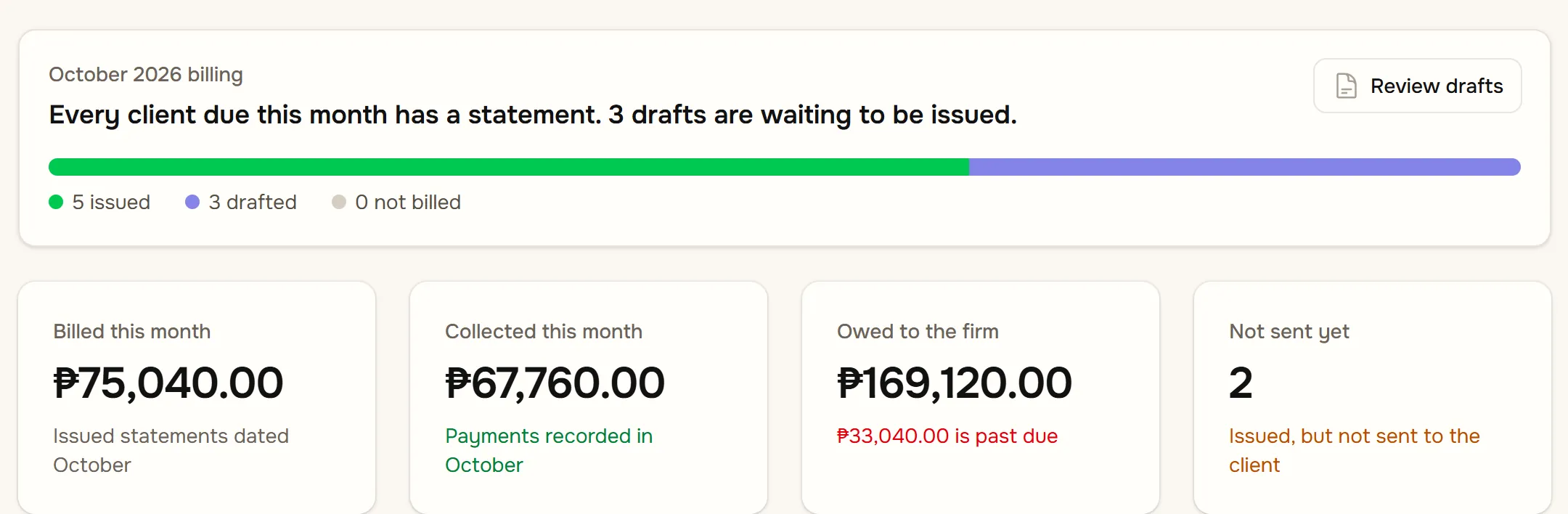
bilan's dashboard: five statements issued, three drafted and none unbilled, then the figures for billed, collected and owed this month and how many statements have not been sent.
Sample data. Click the screen to open it larger.

The billing run

Every client due this month, in one list. One click drafts all their statements.
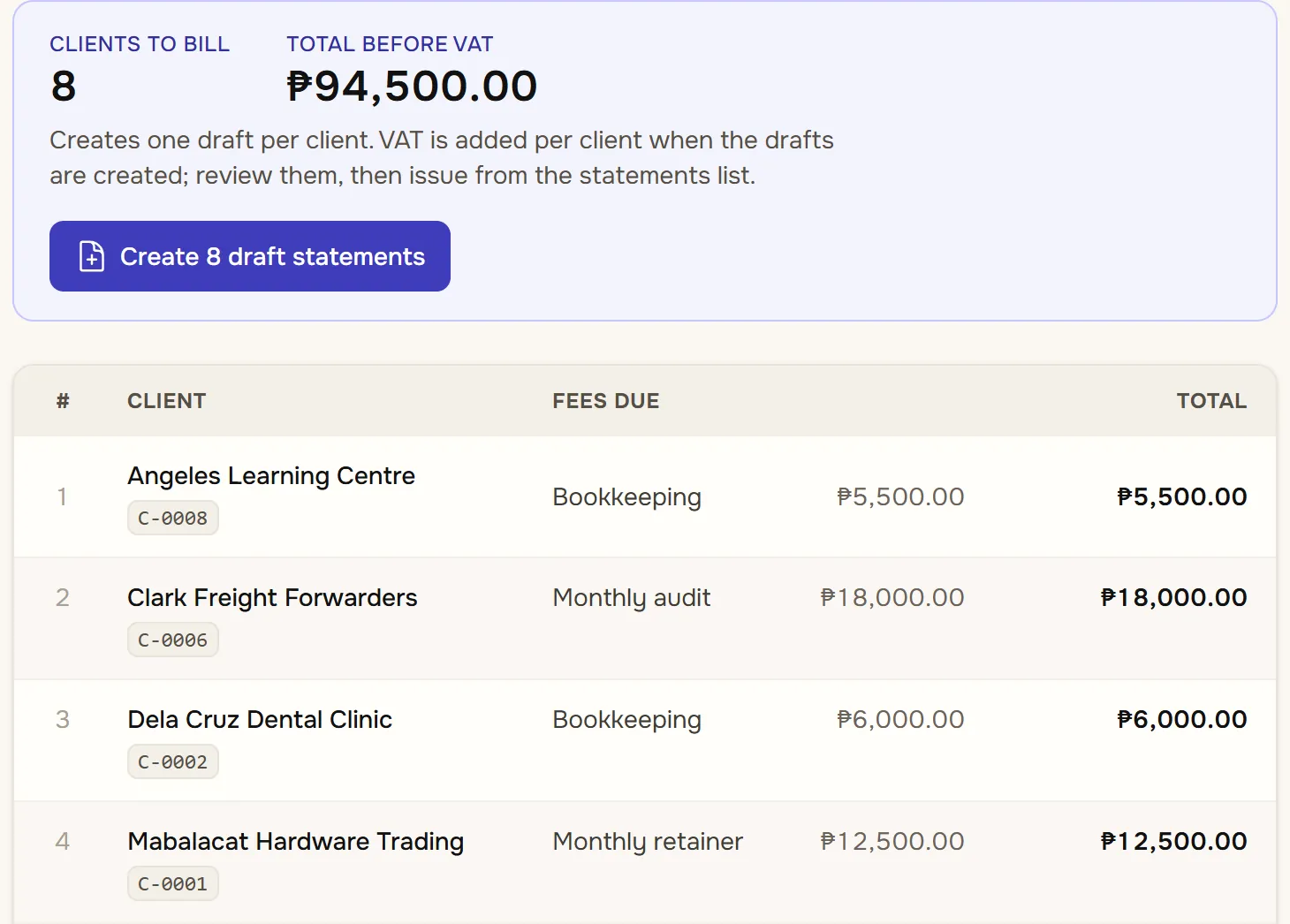
The billing run: eight clients to bill for a total of ₱94,500 before VAT, a button that creates their eight draft statements, and the first four clients with the fees due.
Sample data. Click the screen to open it larger.

Statements

Drafts to review, issued statements to send, and which have gone out.
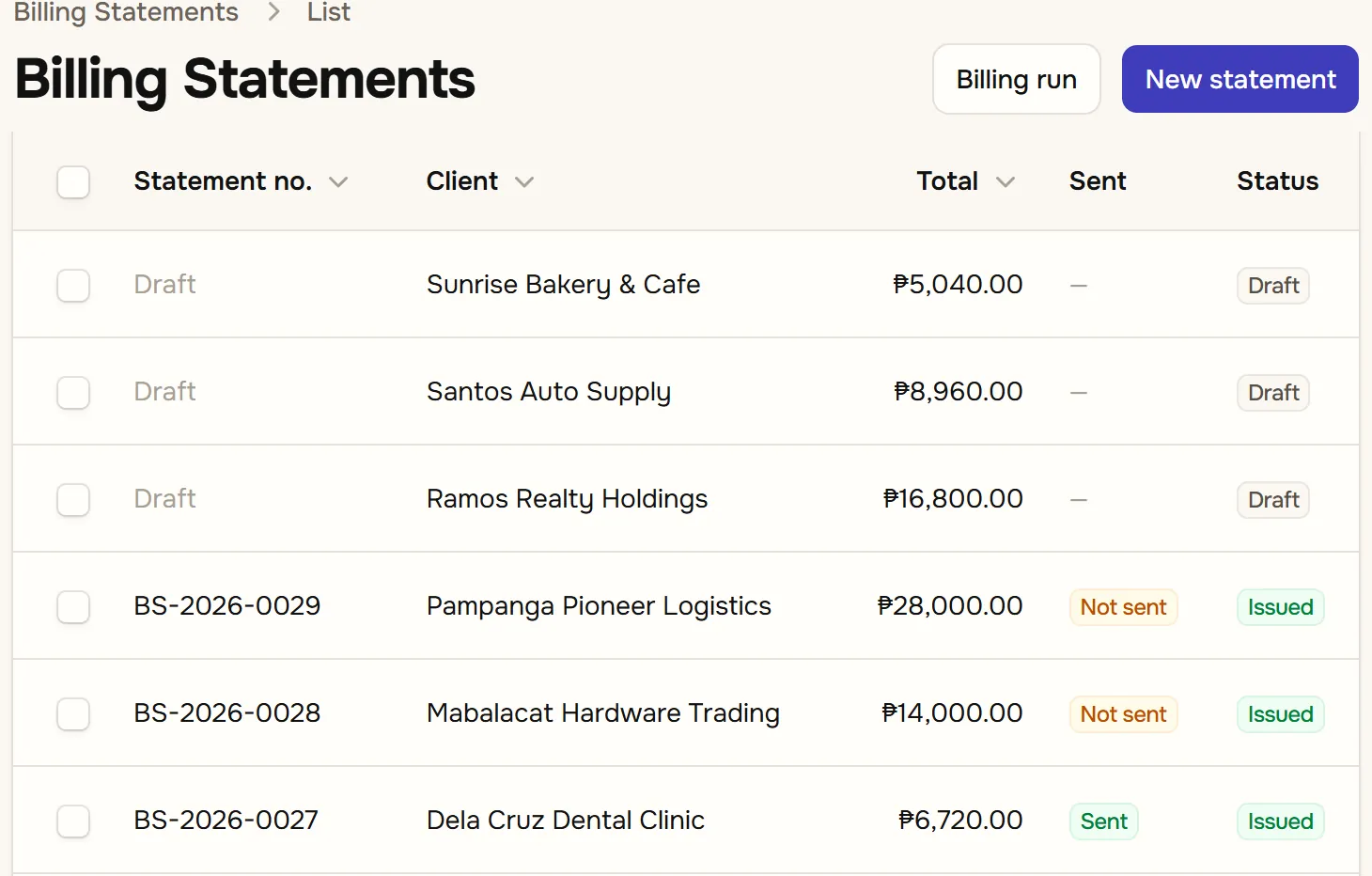
The billing statements list: three drafts waiting to be issued, then issued statements, each with its client, total, whether it has been sent and its status.
Sample data. Click the screen to open it larger.

One statement

Email it, mark it sent, download the PDF. VAT is already on it.
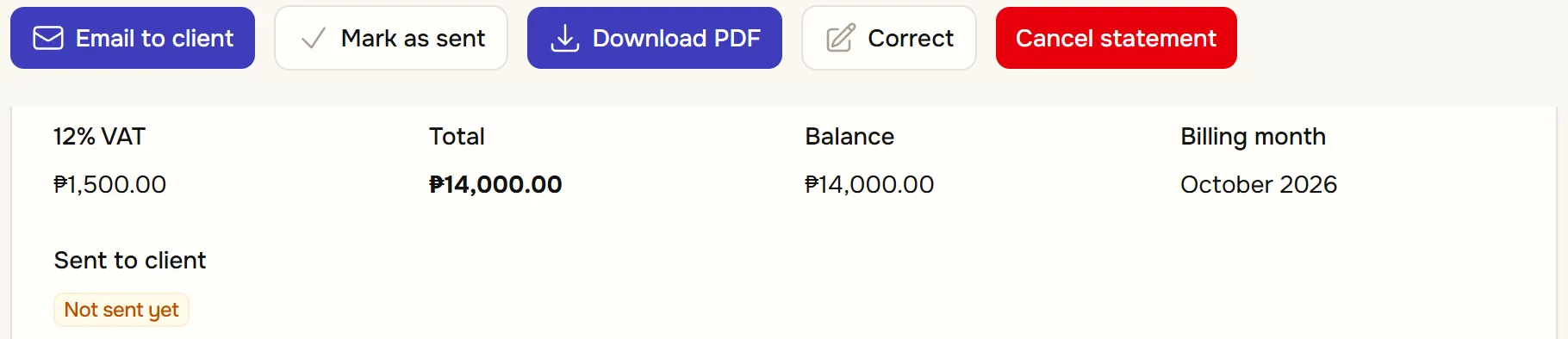
An issued statement: buttons to email it to the client, mark it as sent, download the PDF, correct it or cancel it, above its 12% VAT, total of ₱14,000 and a badge saying it has not been sent yet.
Sample data. Click the screen to open it larger.

Money in

Collections

Each payment, by client and method: cash, check, bank transfer or GCash.
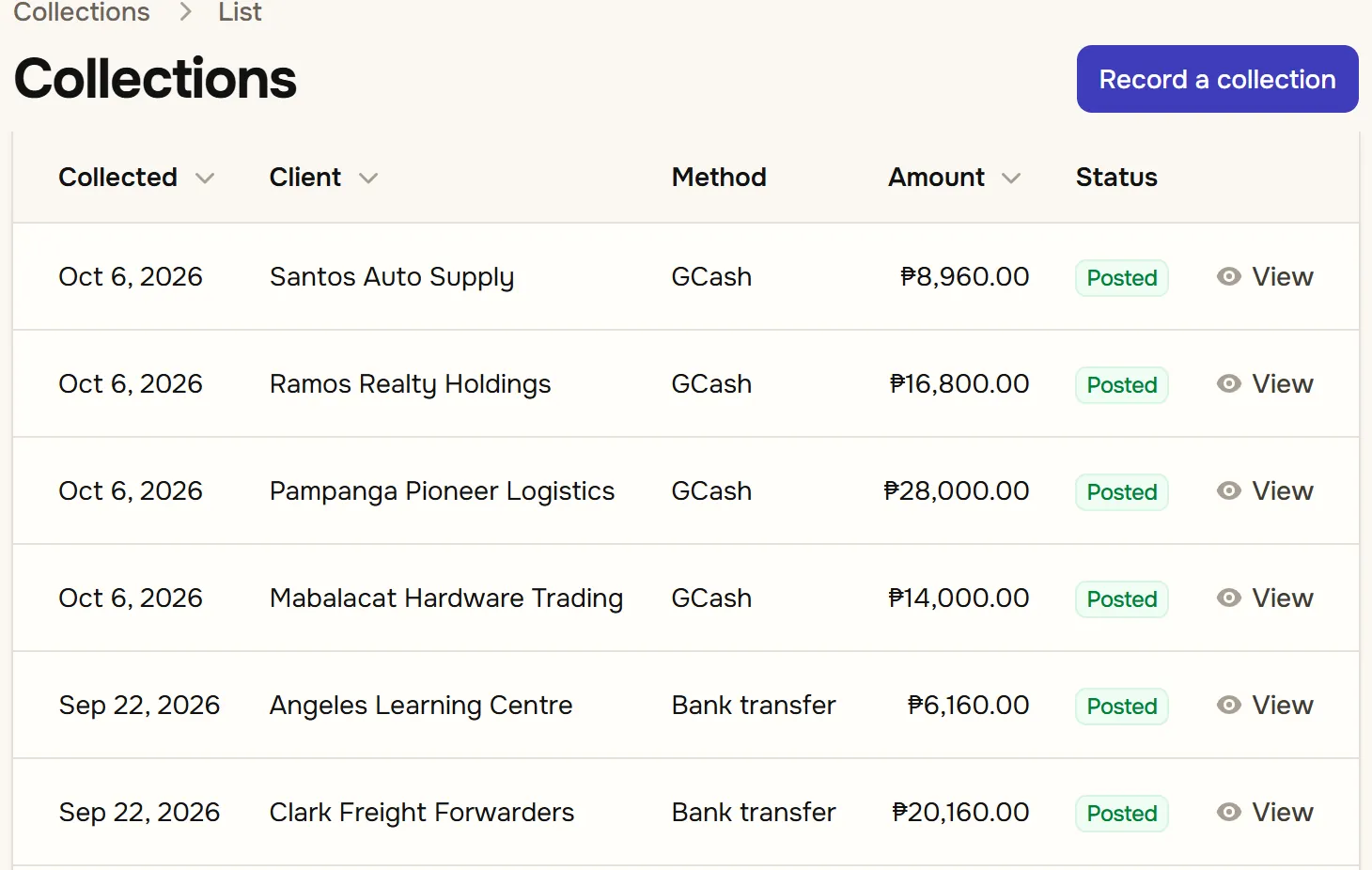
The collections list: each payment with its date, client, method (GCash or bank transfer), amount and a posted badge, and a button to record a collection.
Sample data. Click the screen to open it larger.

Who is late

What is owed, how overdue it is, and the biggest overdue clients first.
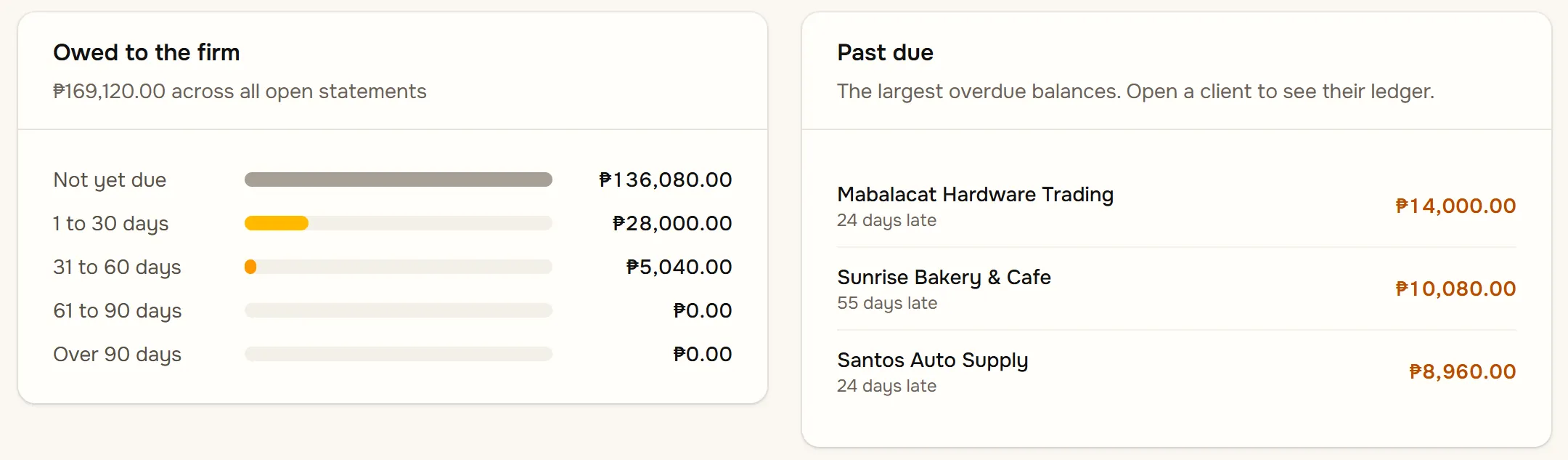
The dashboard's owed and past due panels: the amount owed by how many days late, and the three largest overdue clients.
Sample data. Click the screen to open it larger.

A client's ledger

Every billed line, the payment against it, and the running balance.
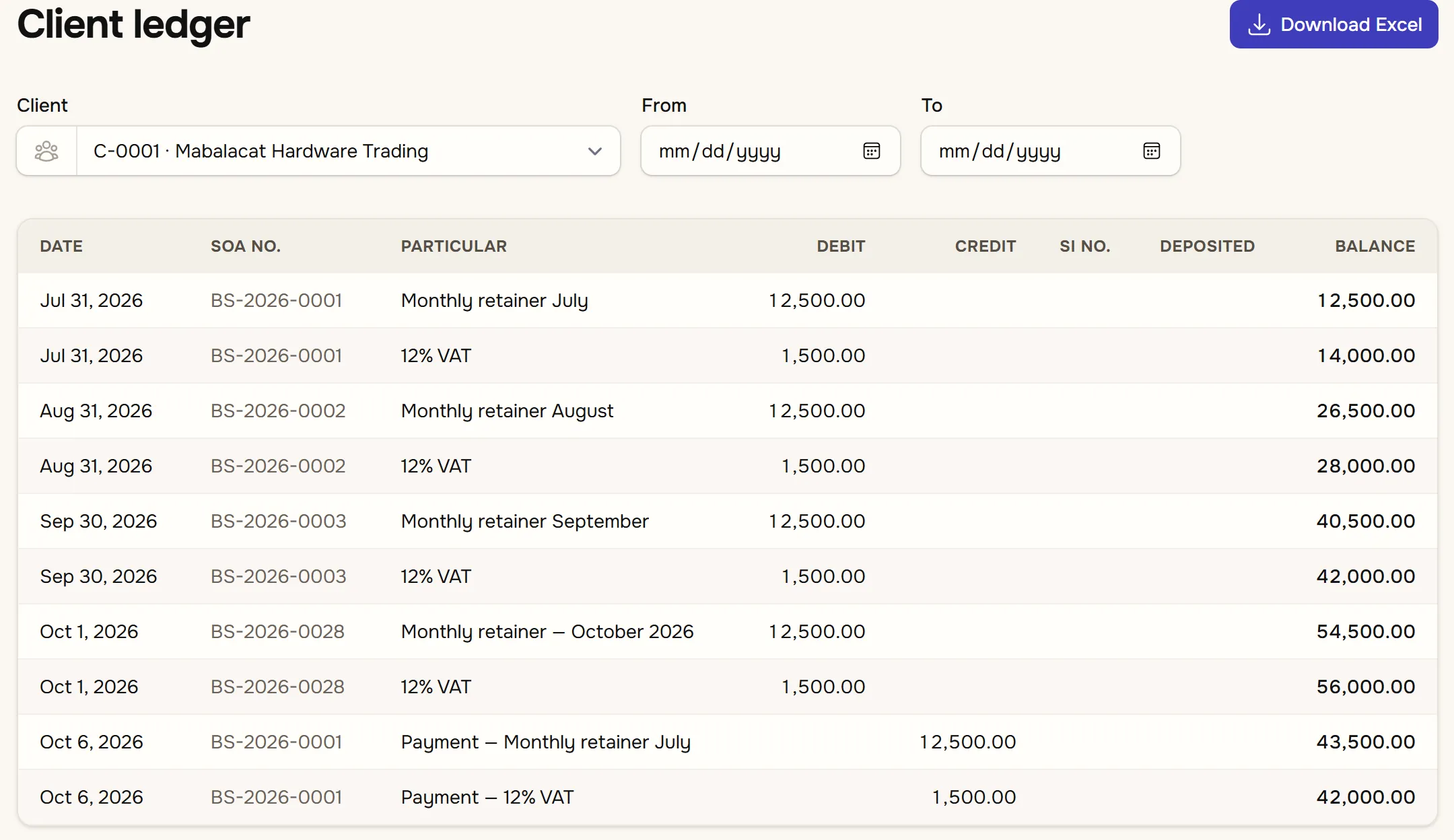
A client ledger listing statements and payments by date with debit, credit and running balance columns, and a download to Excel button.
Sample data. Click the screen to open it larger.

Reports

Billing report

One row per client: billed by service, VAT, collected and what is left. Download to Excel.
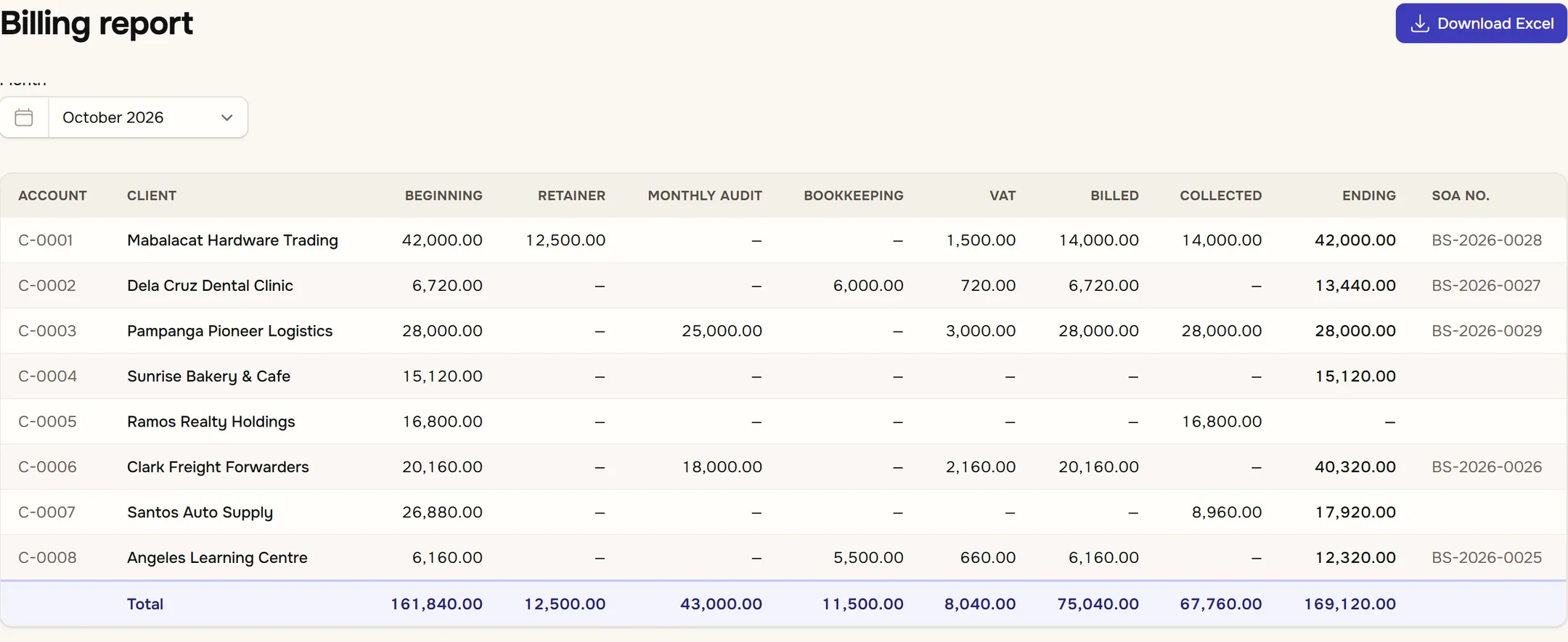
The billing report for October: one row per client with beginning balance, amounts billed by service, VAT, total billed, collected, ending balance and statement number, with a totals row.
Sample data. Click the screen to open it larger.

Collection report

The month's payments, split by what they paid for. Download to Excel.
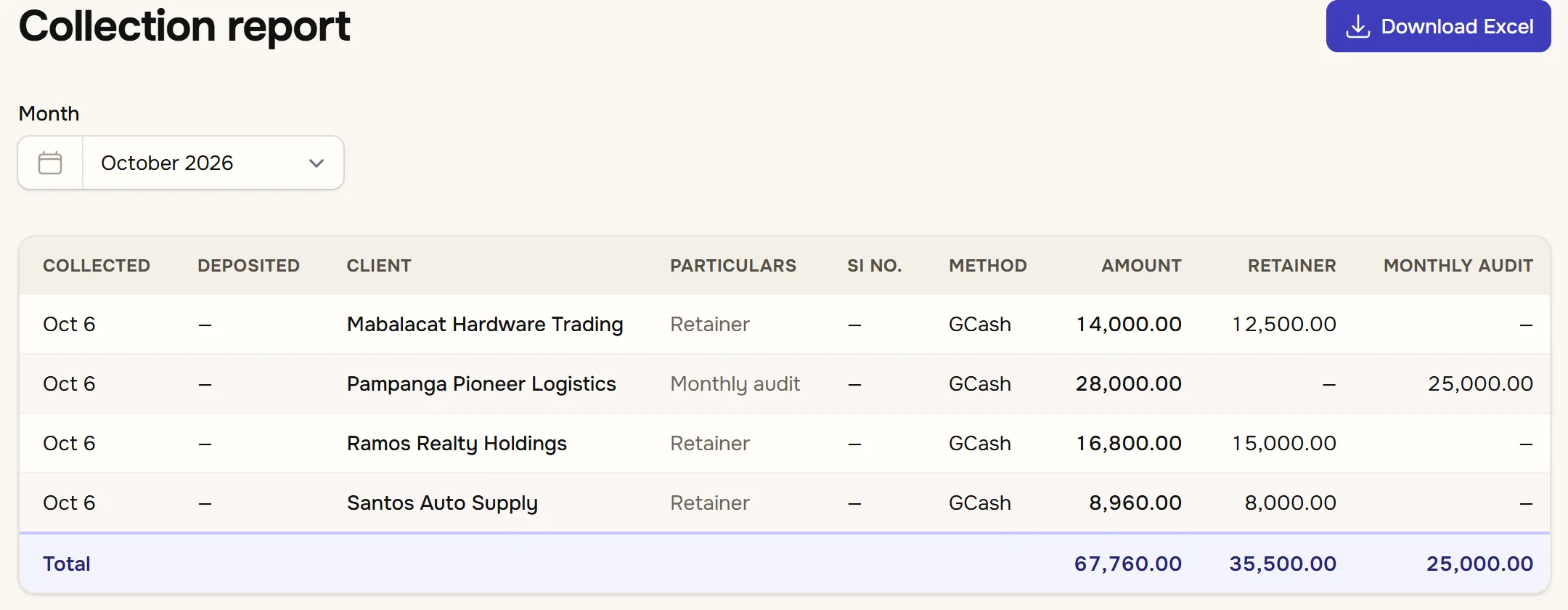
The collection report for October listing each collection by date, client, particulars, method and amount, split into retainer and monthly audit columns, with totals.
Sample data. Click the screen to open it larger.

Your clients

A client

Their details and VAT status, and the fees the billing run bills them every month.
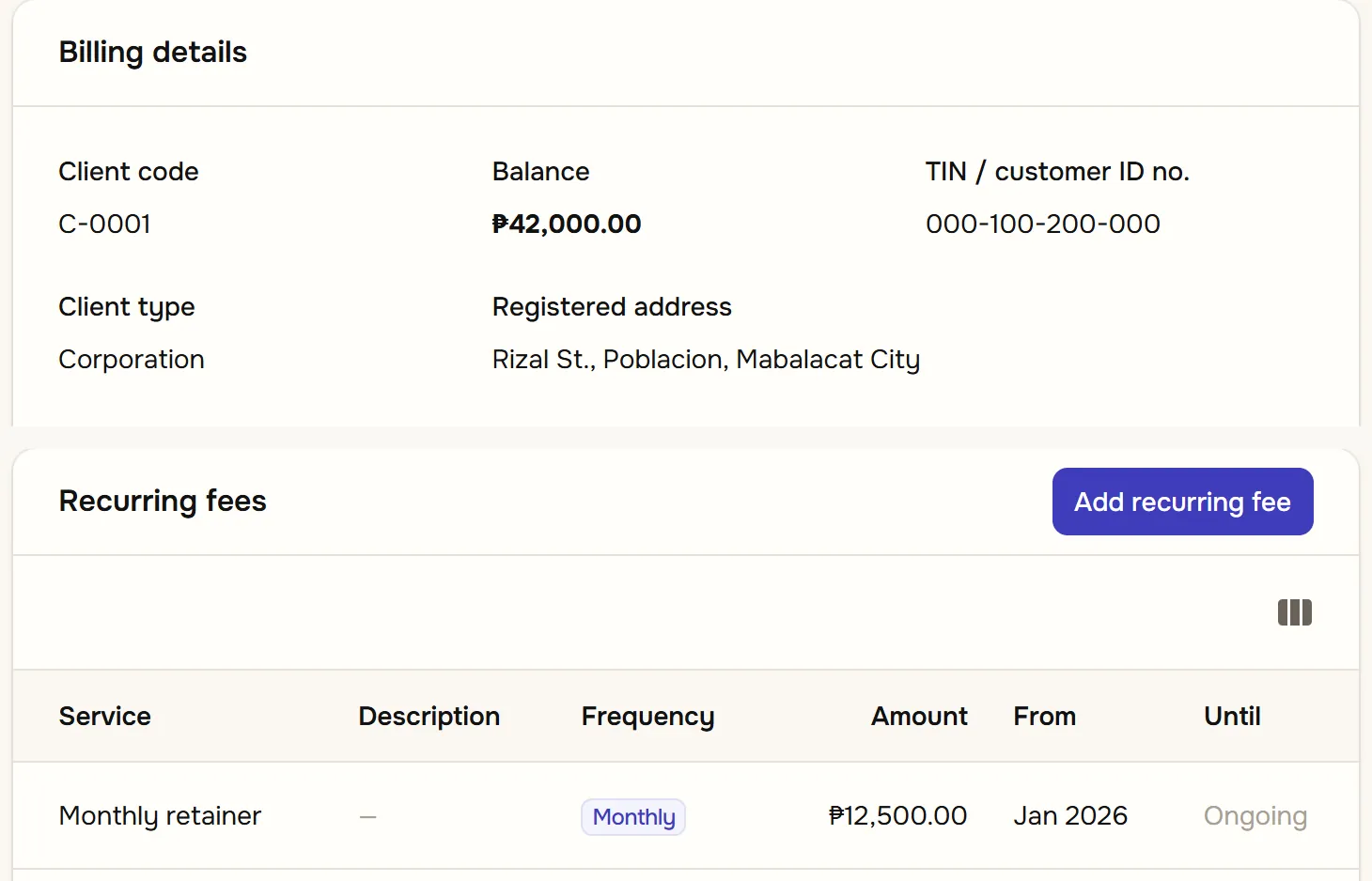
A client record trimmed to the client code, balance, TIN, type and address, above the client's recurring fee: a monthly retainer of ₱12,500.
Sample data. Click the screen to open it larger.

See it on your own clients.

Book a demo and we will go through bilan with you, then set up your practice and bring your clients in from your spreadsheet.

Book a demoBack to the overview